Guide
Published · 5 min read
Keep help center articles up to date
Find help-center articles affected by a product change, draft checkable corrections, review rollout timing, and verify the published result.
Published · 5 min read
Evaluate a GitBook replacement with a URL inventory, sample import, reviewed preview, and a maintenance workflow your team can test.

A docs migration becomes difficult when the first customer hits an old link. Exporting the words is only part of the job. Navigation, code samples, redirects, and the next release all need an owner.
If you are replacing GitBook, evaluate a destination with a copy of your real documentation. A polished sample site will not reveal what happens to your nested pages or custom content.
Write down the reason for switching before comparing tools. A team that needs contributors outside engineering has a different editing problem from a team that wants documentation changes reviewed beside API changes.
Use a recent release as a test case. Suppose an endpoint moved from /v1/events to /v2/events. Find its reference page, quickstart example, troubleshooting guide, and any website page that mentions it. Then trace how each page would get updated in the proposed workflow. Assign someone to review the resulting changes.
Separate the requirements into a short acceptance list:
Git-based source can make review and history easier to follow. It also means somebody must maintain the build and help contributors resolve failed checks. Test that part with a small change from a teammate who rarely uses Git.
Keep an export or repository snapshot of the current docs. Record the URLs customers actually use, including links in onboarding emails, SDK READMEs, and support replies. Your navigation tree alone will miss some of them.
For a manageable trial, choose one plain article, a page with nested navigation, a reference page with code tabs, and a page with an embedded component. Save screenshots and a few expected internal links. These examples give you something concrete to compare after import.
A useful inventory can be a spreadsheet with four columns: old URL, destination URL, content owner, and verification status. Mark a redirect as verified only after requesting the old address and following it to the intended page.
Thally offers a migration and hosting workflow. Evaluate the result against your own content before making a cutover decision. Import support does not establish that every source component, permission setting, or URL will transfer unchanged.
Check the rendered code samples as carefully as the prose. A missing language label is inconvenient; a dropped authentication header can make a tutorial fail. Compare fenced code, indentation, tabs, callouts, images, and links. Interactive elements may need a replacement or a manual rewrite.
Keep the existing site available while you review the destination. Importing into a separate workspace helps preserve a recovery path, but switching DNS and removing the old hosting are separate operational decisions. Document who can reverse those changes.
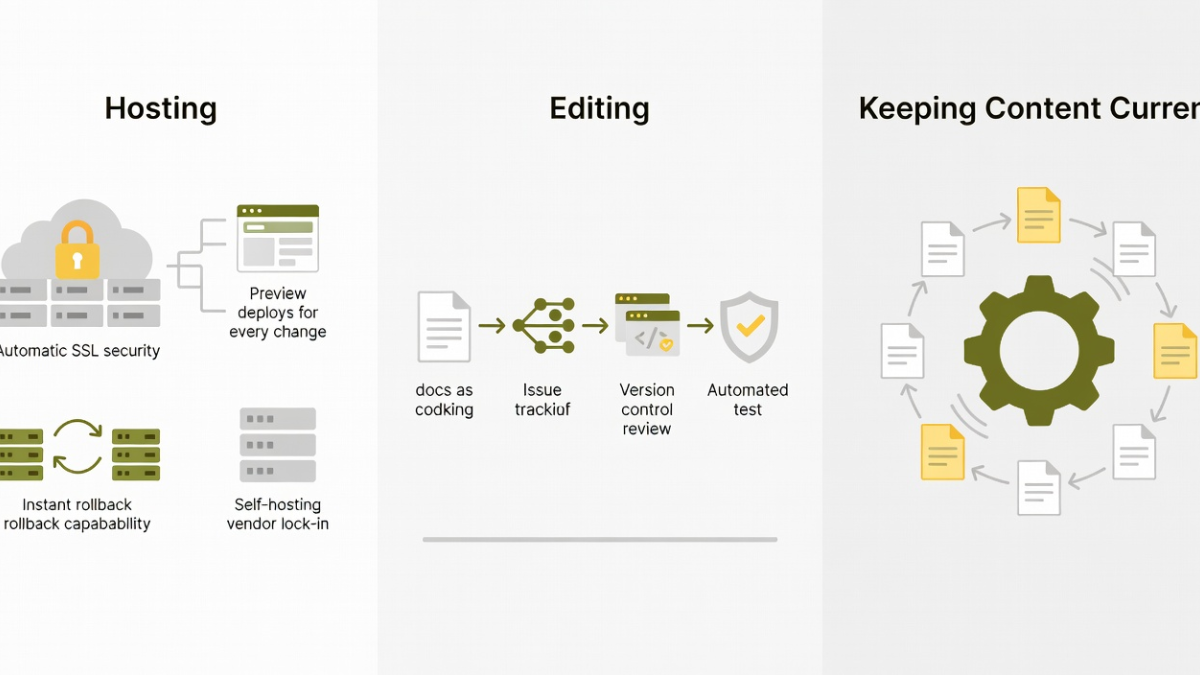
Decide where the authoritative content will live. If it is Markdown or MDX in Git, confirm which repository and branch publish the site. Make a test edit, review its diff, inspect the preview, and publish it through the intended process.
Docs as code uses practices such as version control, code review, and automated checks for documentation. The useful part is the shared review process. Put a docs task in the release checklist and name its reviewer, even when the content lives in a separate repository.
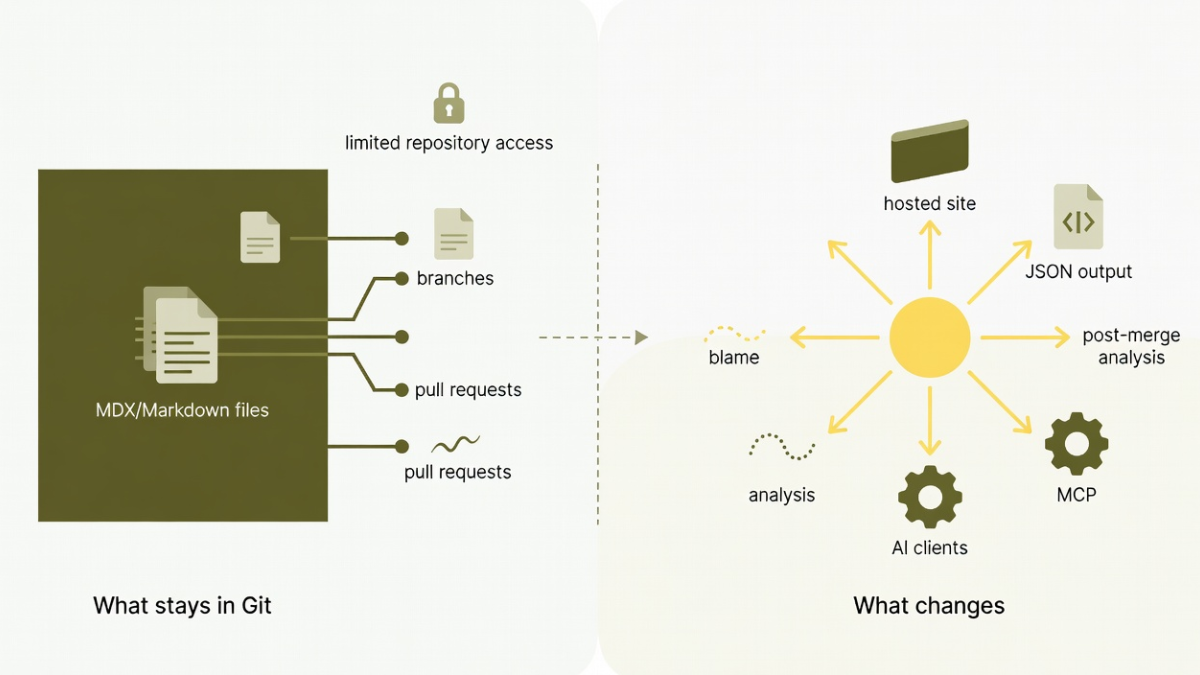
Thally Track can help investigate which pages a code change may affect. The public Track preview uses read-only access for analysis. Drafting and publishing in an authorized Cloud workflow are separate capabilities and should be evaluated separately. See the guide to keeping docs in sync with code for the maintenance problem this addresses.
Try the endpoint change from your acceptance list. Check whether the findings point to relevant pages and whether the reviewer has enough evidence to judge them. A suggested update still needs someone who knows the released behavior.
Open a few important pages from search results and saved bookmarks. Verify titles, canonical URLs, navigation, and redirects. Check the generated sitemap and the site's search index after the build completes.
If AI clients are part of your audience, inspect the actual Markdown, llms.txt, or MCP output the destination provides. Request a page through the client you intend to use and compare it with the public article. Machine-readable access can expose useful content; it cannot establish that a model will read it, cite it, or answer correctly.
Before changing the domain, record the current hosting settings and prepare a rollback procedure. Test the destination from a fresh browser session as well as an existing one. Keep someone available to check the most important URLs after the change.
A useful evaluation ends with evidence: a URL map, reviewed sample pages, a successful edit and publish cycle, and a release maintenance task with an owner. Review those artifacts with the people who will maintain the docs.
Check current plans when you are ready to compare limits and costs. Start with a representative import, fix the gaps that matter to your readers, and move the domain when the acceptance list is complete.
Published under the Thally editorial policy. Technical conformance is defined in the agent-readiness methodology.
Create a managed site, or use the open-source engine to run Thally yourself.